


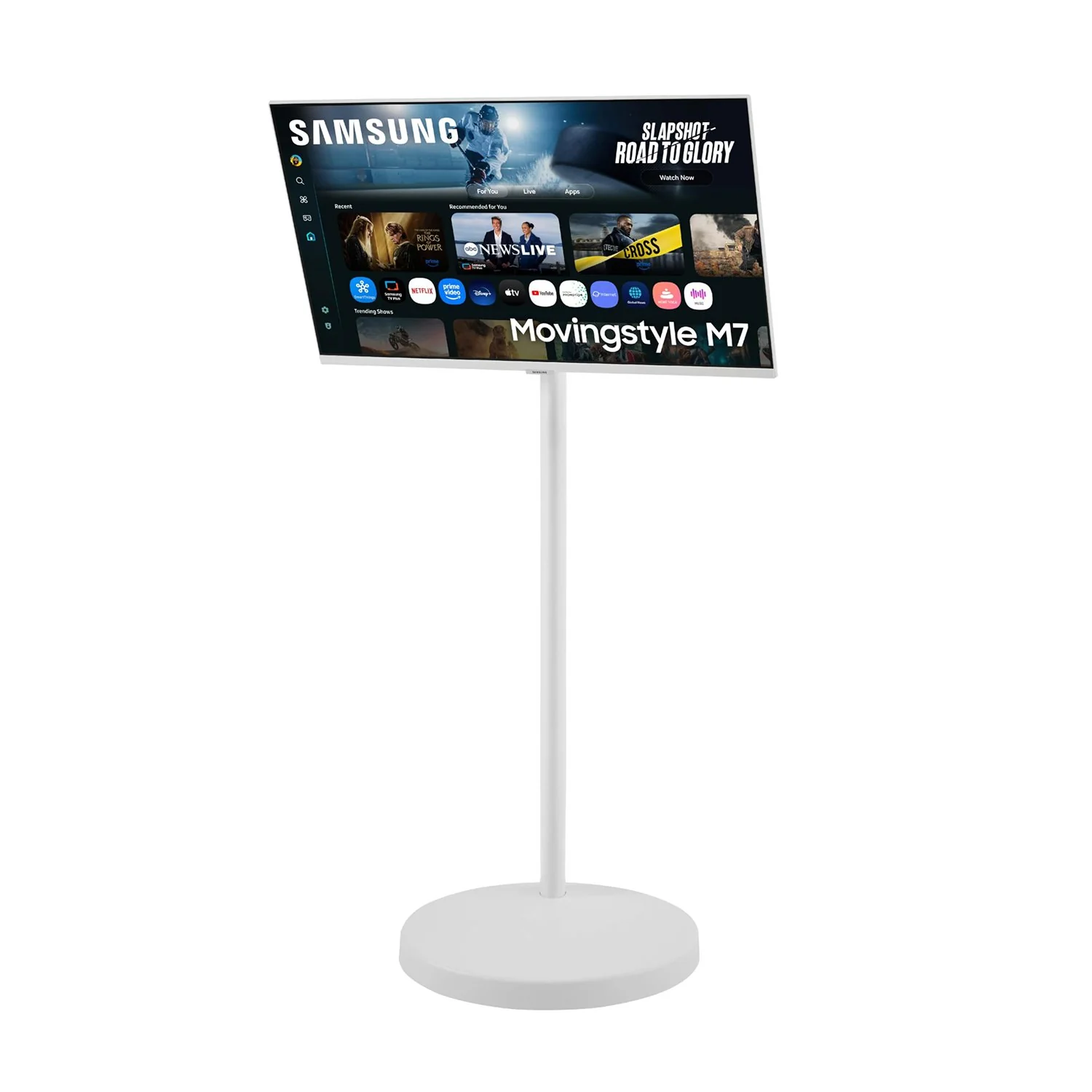

Samsung Movingstyle M7 - 32" 4K UHD Smart Monitor with Adjustable Rolling Stand
Samsung Movingstyle M7
Product Highlight
Adjustable Rolling Stand
Smart TV Apps
AI Picture Optimizer
SmartThings
Product Feature
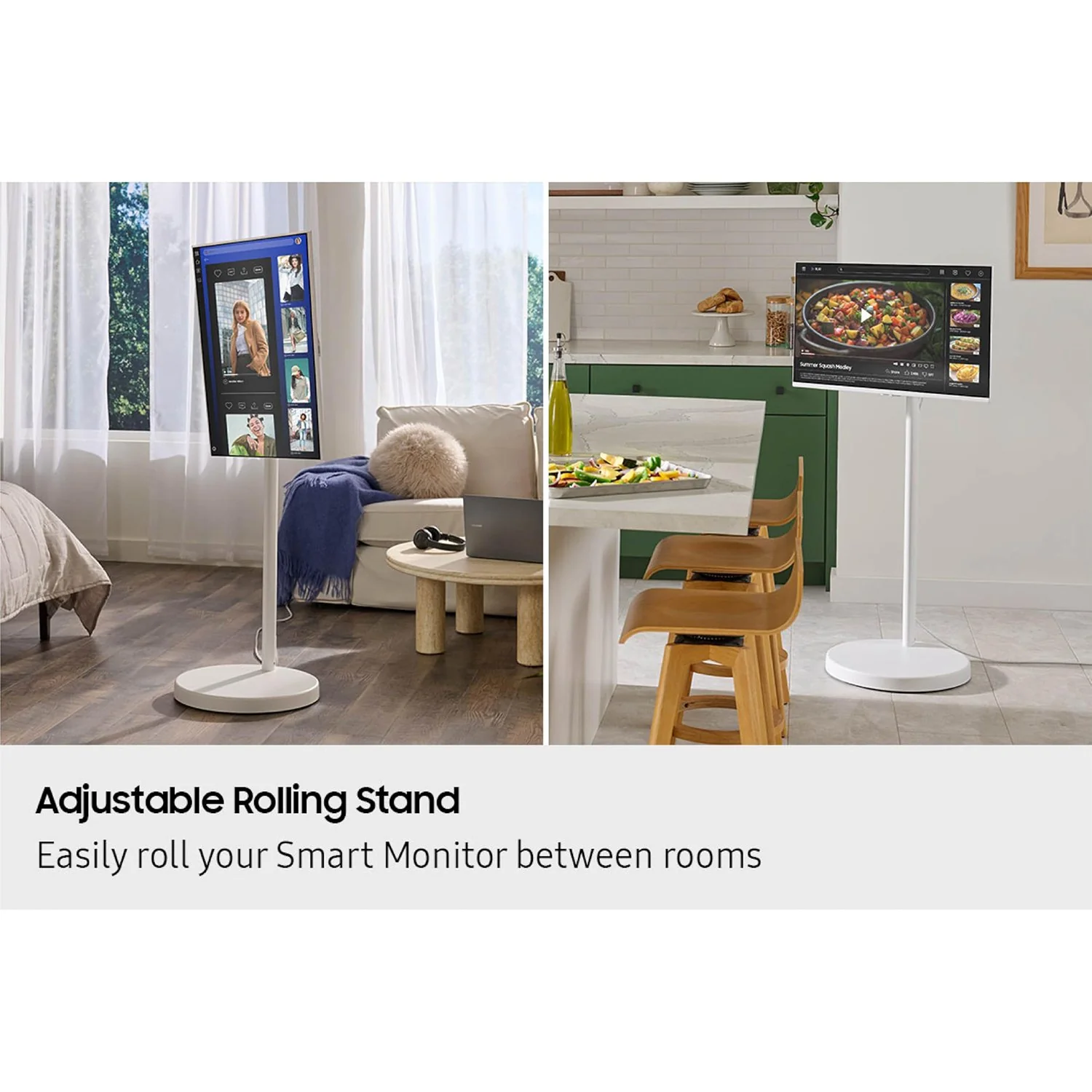
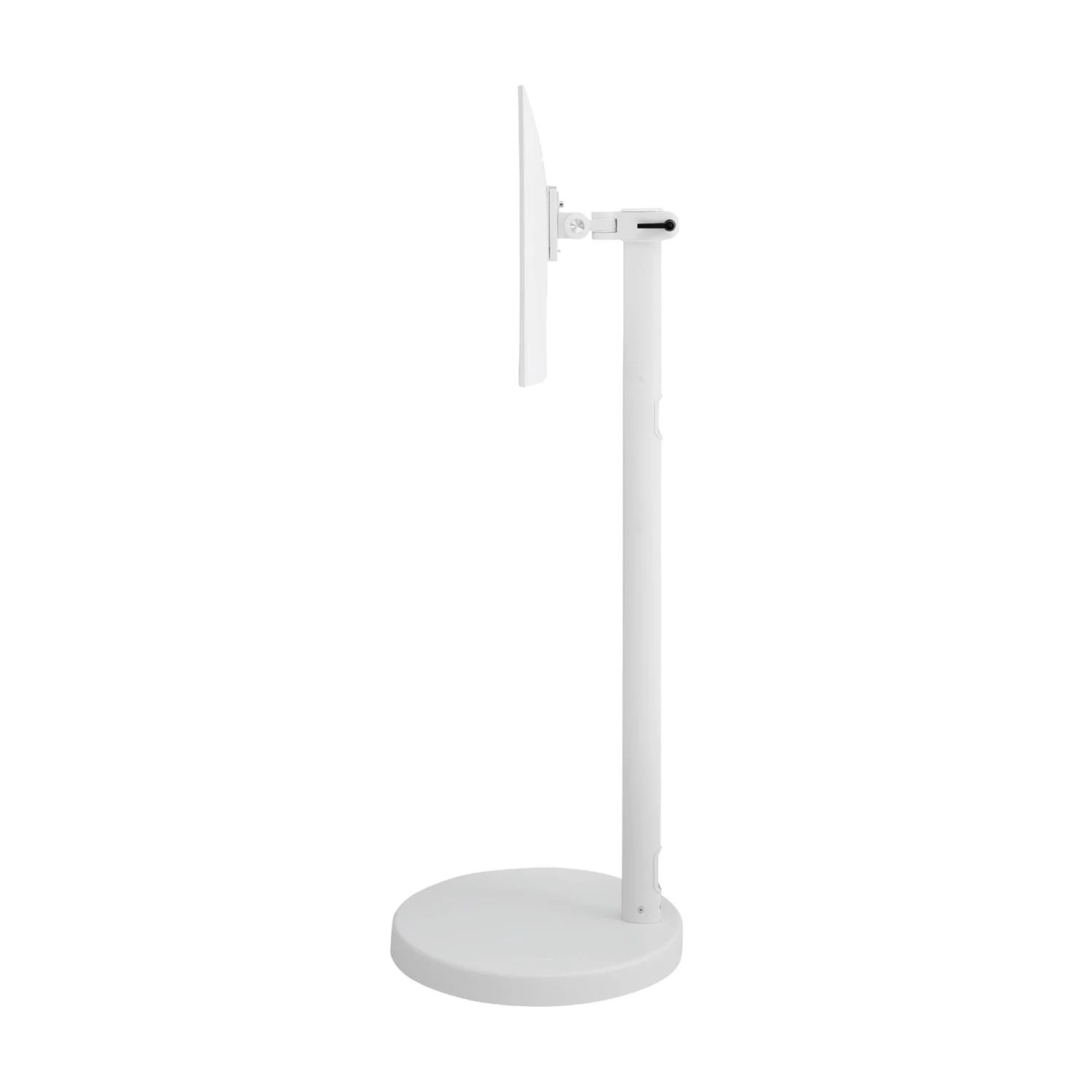
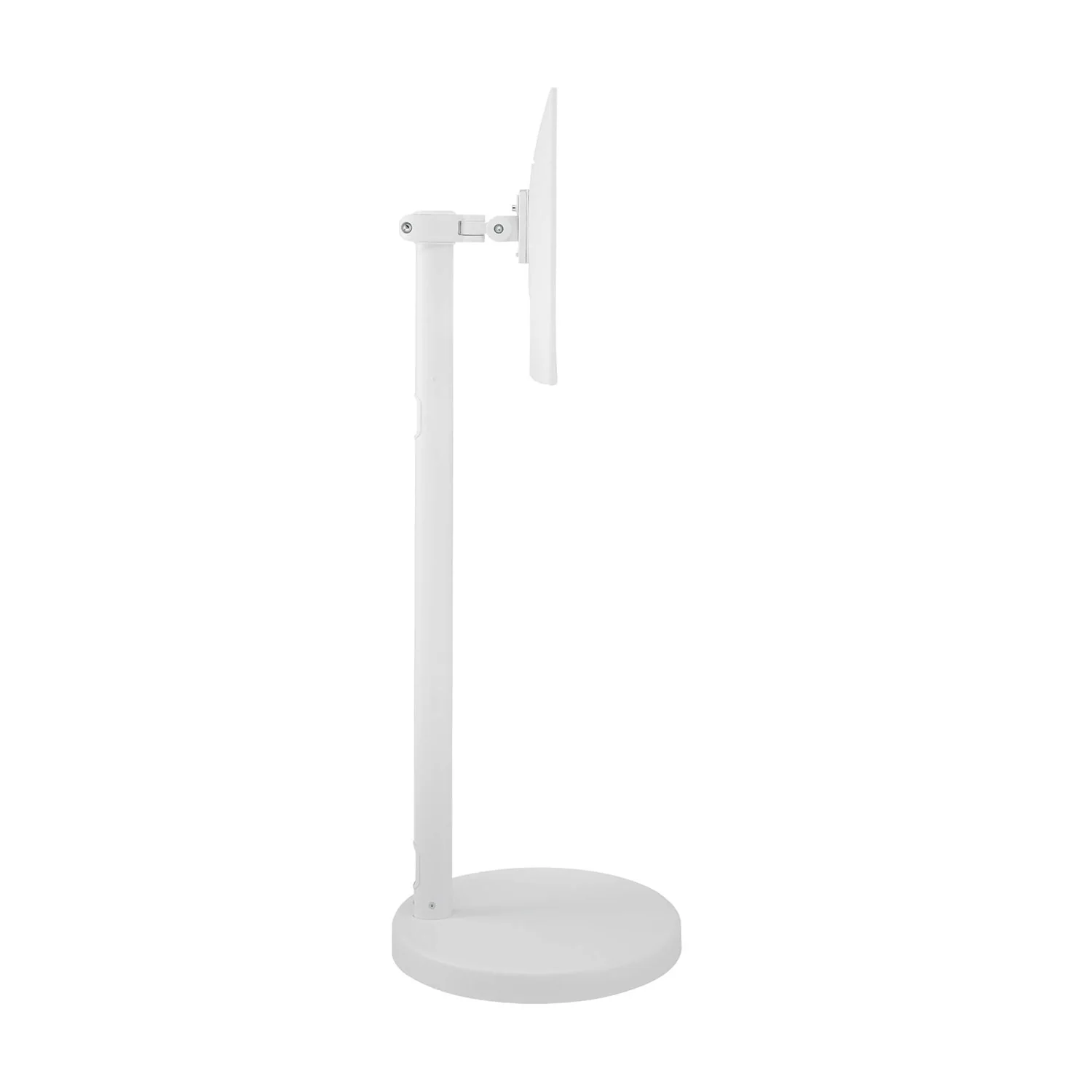
It's How We Roll - Flexible entertainment anywhere: Height-Adjustable Rolling Stand
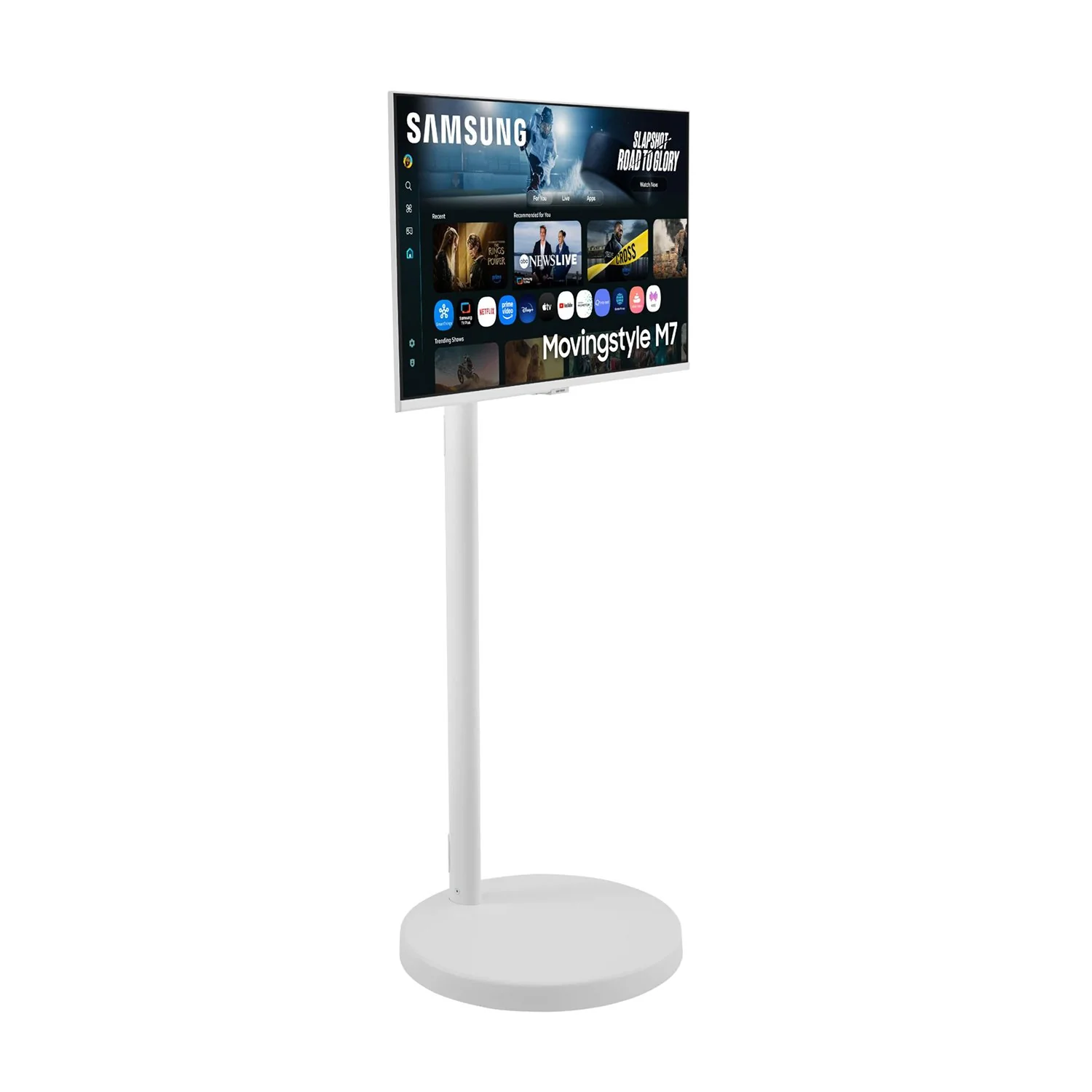
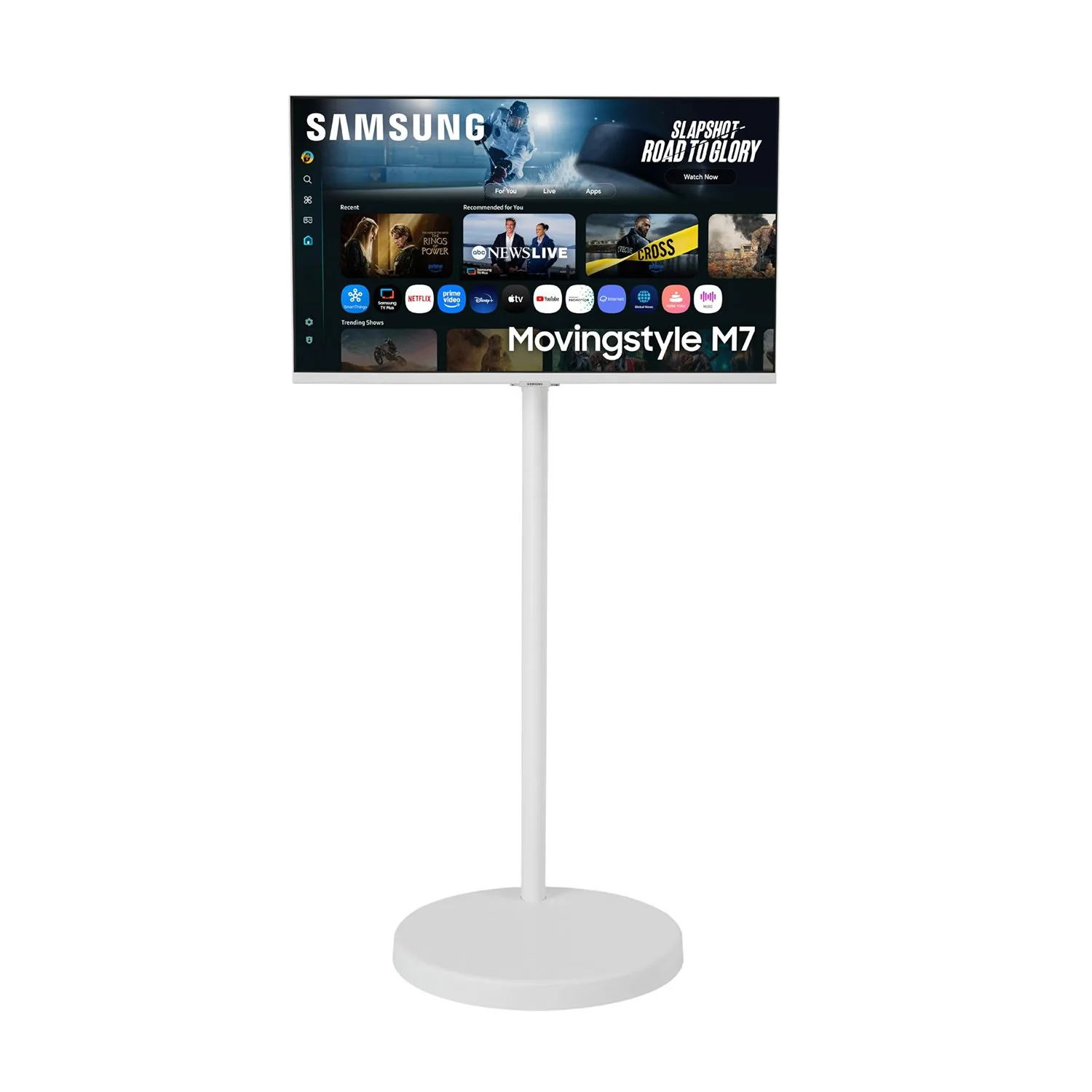
The Height Adjustable Rolling Stand moves with you, making it easy to roll your Smart Monitor from room-to-room for next-level entertainment and everyday use.
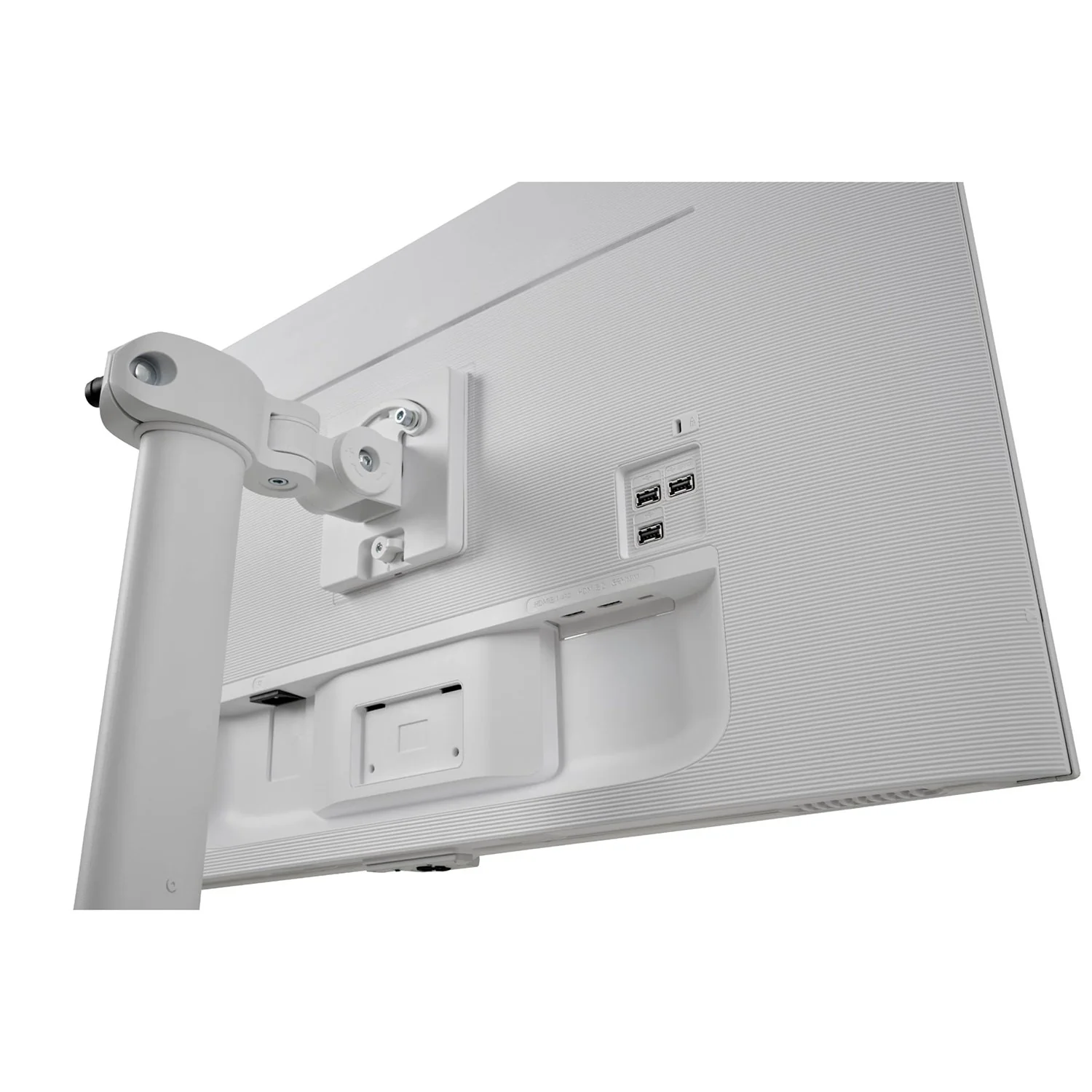
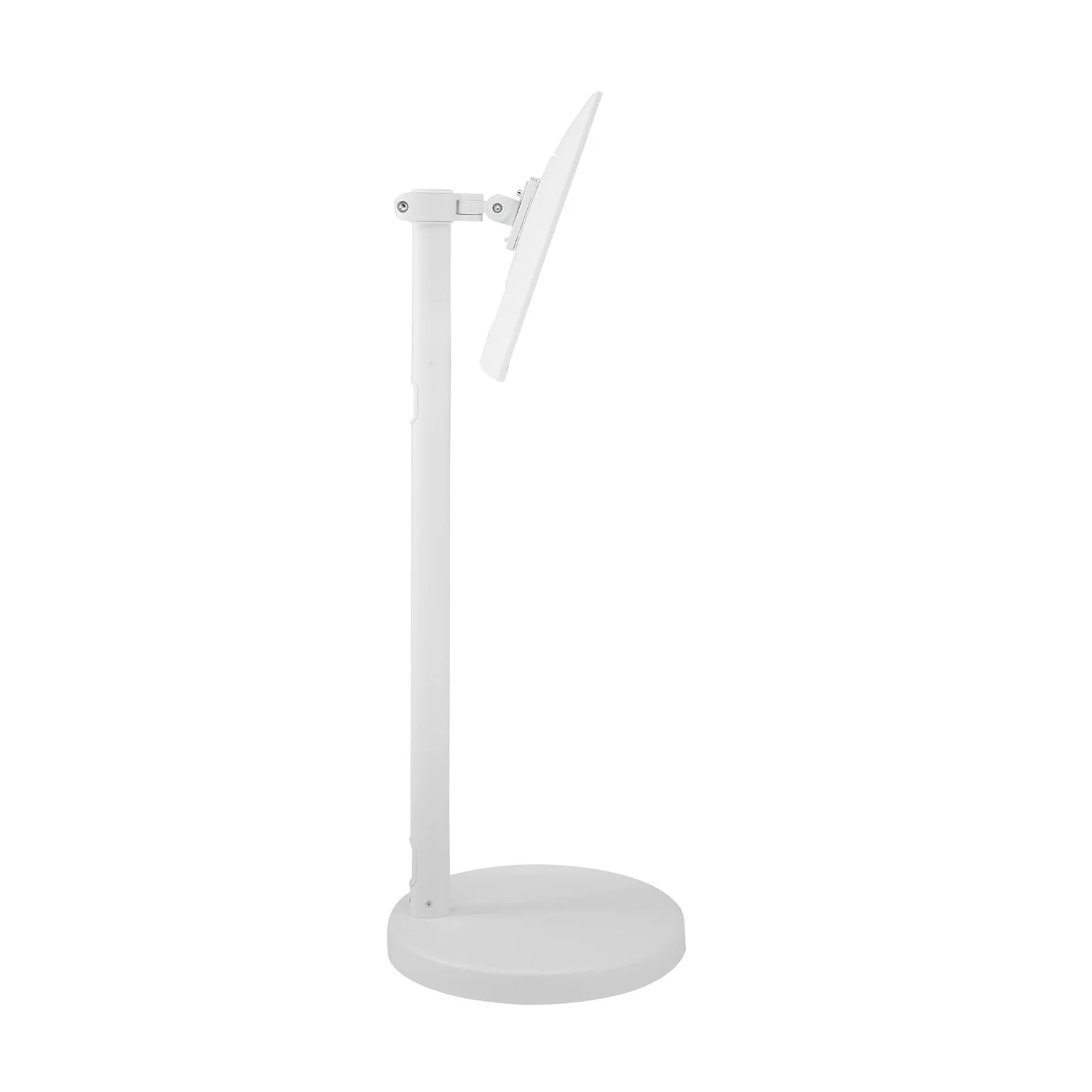
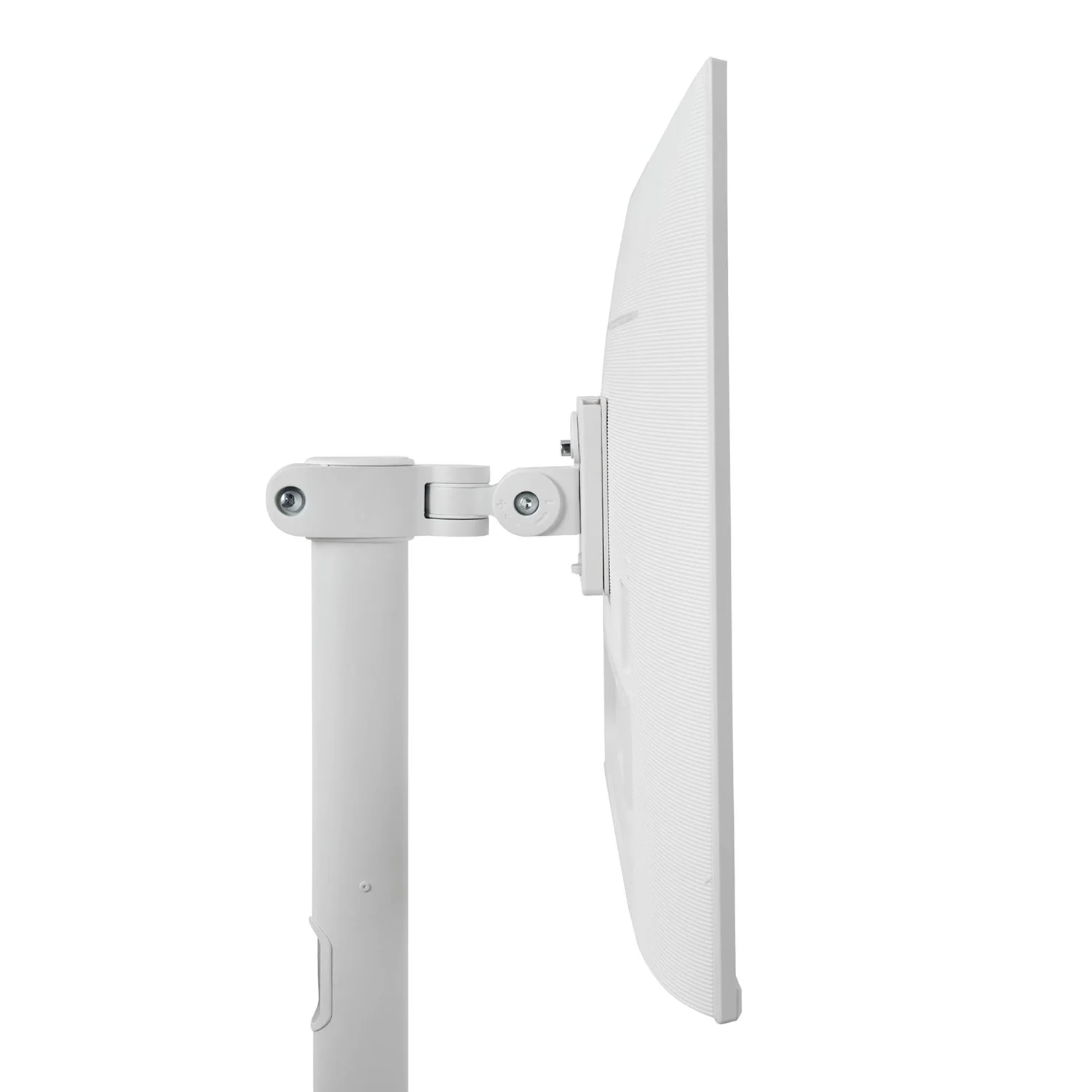
Versatility and Flexibility - Work and play in comfort: Pivot, Swivel and Tilt
The height-adjustable stand with pivot, swivel and tilt functionalities allows you to adjust the monitor to perfectly match your preferred setup so that you can work and play in maximum comfort.
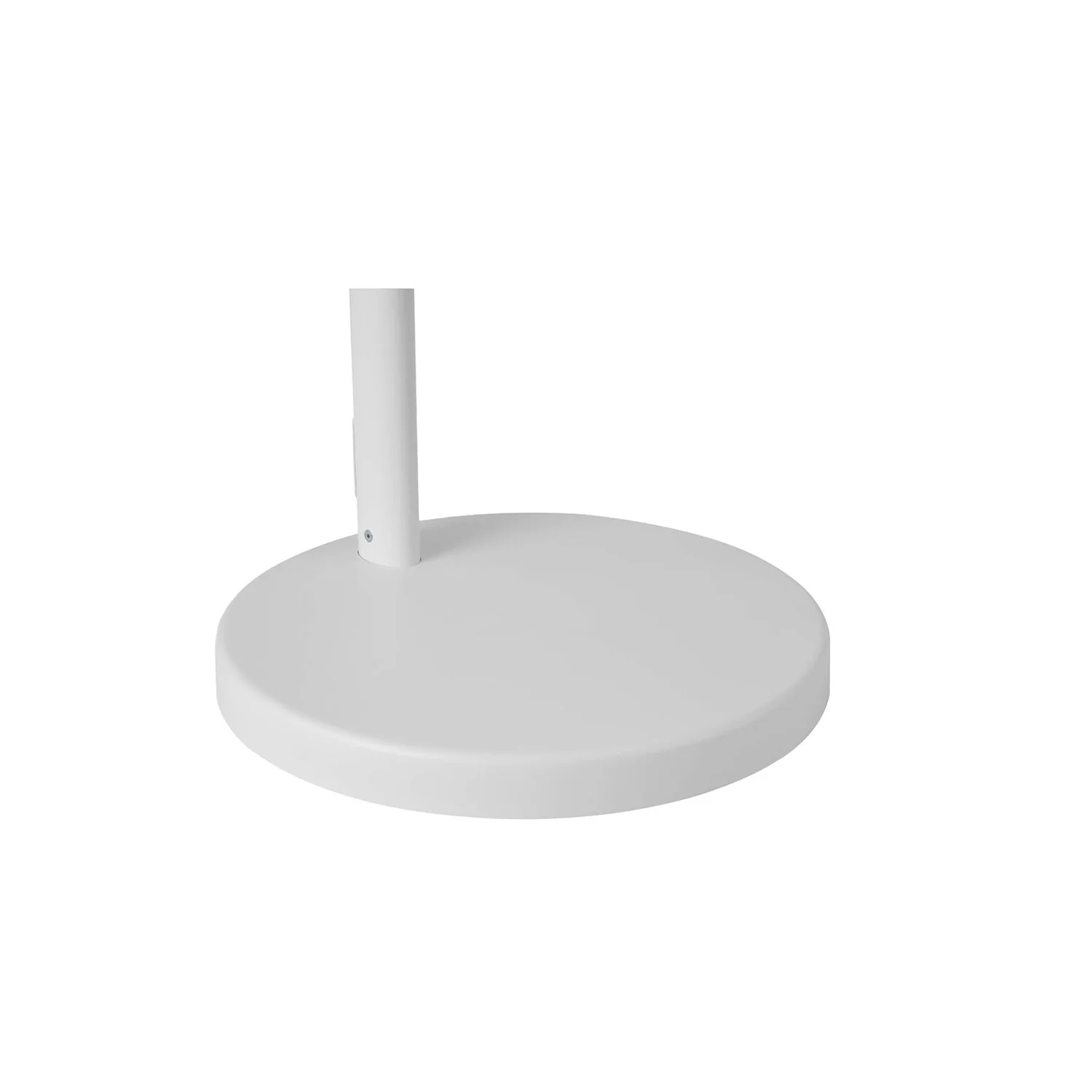
Quiet & Stable Mobility - Stable, quiet movement: Weighted Base
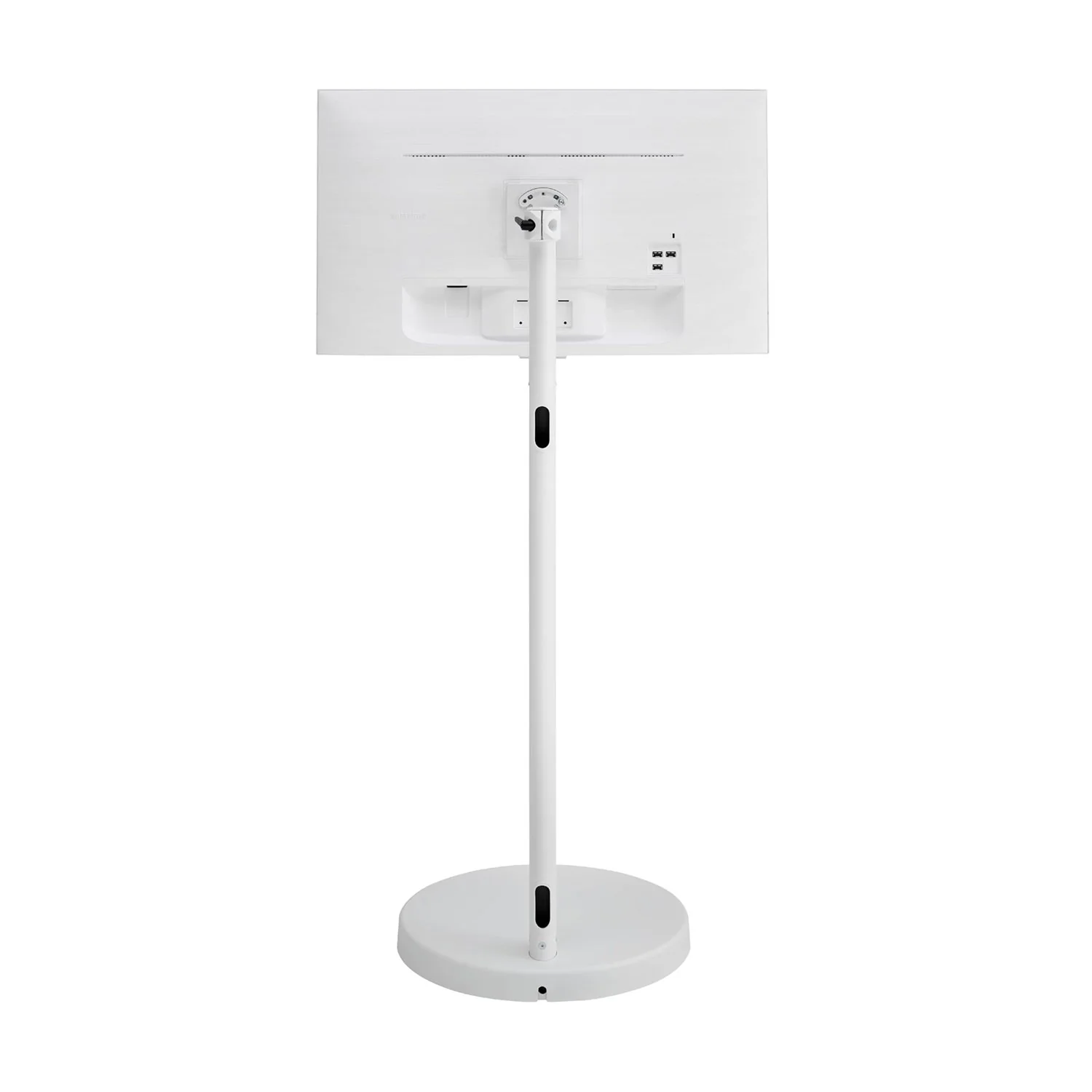
The 17.7-inch weighted base with hidden urethane wheels allows for quiet, stable movement. From hardwood to carpet, enjoy effortless movement wherever you roll.
Connect Without Clutter - Cable Management
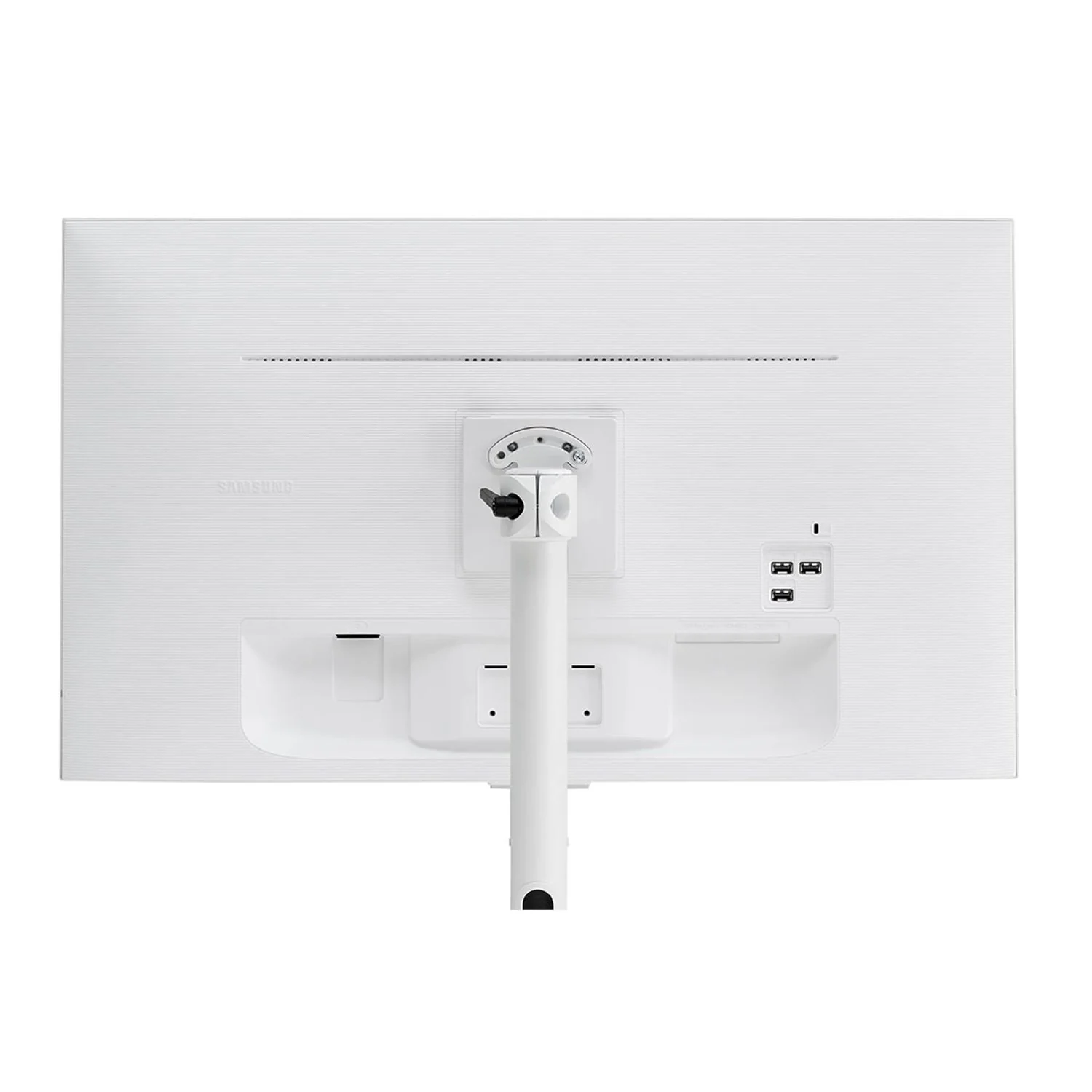
The 13-foot power cable attaches to the back of the monitor and extends down through the stand for a clean feel from the front and rear.
Entertainment Upgraded
Instant access to your favorite streaming content: Smart TV Apps
Stream content directly from your monitor, or tune into Samsung TV Plus to get live TV channels and on-demand content.*
* Samsung Account required for networkbased smart services, including streaming apps and other smart features. Computer, mobile or other device may be necessary to create/log in to Samsung Account (free to download and create). Some features may require separate subscriptions. This smart monitor does not include a TV tuner.
Where gaming comes together: Gaming Hub
Access the ultimate gaming realm. In the Samsung Gaming Hub, you can play the biggest games from top streaming partners, with no PC or console needed. Discover new games or replay old favorites all in one place.*
* High speed internet connection, additional gaming service subscriptions and compatible controller required. Samsung Account required for networkbased smart services, including streaming apps and other smart features. Separate [connected] computer, mobile or other device may be necessary to create/ log in to Samsung Account (free to download and create). Without Account log in, only external device connections (e.g.,via HDMI) available.
Enjoy 7 years of Monitor updates for free: One UI Tizen
One UI Tizen is your personalized and enhanced screen experience, powered by Samsung Tizen OS. With One UI Tizen, you can take advantage of the latest and innovative Samsung features. One UI Tizen will also support Tizen OS upgrades for up to the next seven years.*
* Content and services are subject to change without notice. Agreement to Smart Hub Terms and Conditions and Privacy Policy is required before use. Some content and services require registration and subscription. Tizen OS updates will be supported for up to 7 years from date of product launch.
AI-Powered Picture and Sound
Optimally tailored visuals with AI: AI Picture Optimizer
Experience optimal picture quality adjusted to your needs. AI Picture Optimizer adapts the visuals to help you work on documents with comfort, get fully immersed in games with deep, rich blacks, and watch videos in vibrant colors.*
* Utilizes AI based algorithms. Only available when using a PC connection. The supported image quality may differ based on the type of content detected by the function.
Enjoy your content in vivid detail: 4K UHD
Watch your content come to life with incredible clarity. 4K UHD resolution enhances even fine details in images and videos, making worlds feel more vibrant and realistic.*
* 4K availability in over-the-top content may vary depending on content service subscription type and internet connection
Adapts to noisy environments: Active Voice Amplifier
Hear words clearly with AI technology. Active Voice Amplifier analyzes background noise around the monitor and automatically adjusts the volume of your content, so you can catch dialogue effortlessly — even in loud settings.*
Safe and Easy Connections
Simple control for your smart home: SmartThings
See your smart home devices in a 3D Map View and manage them with ease. You can also check the energy usage and cost by device, and help save energy by putting them in energy-saving modes. Simply tap into the all-in-one IoT hub using your mobile phone or voice command — without pausing shows.*
* Requires Wi-Fi, Bluetooth or other wireless network connection, and devices registered to the SmartThings app. Connected devices are sold separately. For a full compatible device list, please check https://www. smartthings.com/products.
Your privacy. Secured on Samsung monitors.: Knox Security
Help keep your monitor data safe and confidential with Samsung Knox, featuring robust, multi-layered security and controlled access.*
* Samsung Knox safeguards the Smart Monitor and its IoT connections via the SmartThings app. It does not provide direct protection against hacking or physical attacks on IoT devices. Thirdparty application security and updates are the responsibility of the respective software developer(s). Knox Security software updates are supported for at least five years from product launch. Latest software update is required.
Faster, easier access to your work tools: Workspace
Access and control your PC remotely, or work directly on the monitor. Built-in apps like Microsoft 365 let you bypass the PC for a simpler, more streamlined work experience. Plus, with Multi View you can see apps side-by-side and take your productivity to new levels.*
* Remote PC feature requires Windows 10 Pro or higher. Microsoft 365 requires a Microsoft account.
Expand your workflow with seamless control: Multi Control
Take multitasking and productivity to the next level. Seamlessly drag and drop documents and images across multiple Samsung devices onto your Smart Monitor for a clearer view and larger workspace — all with a single mouse and keyboard.*
* Mouse and keyboard sold separately. Each device must be registered with a single Samsung Account and connected to the same Wi-Fi network. Multi control requires updated Galaxy phones and tablets with One UI 5.1.1 or above and Galaxy Book series devices released in 2021 or later with Samsung Settings v1.5(Intel) or Samsung Settings v3.3(ARM). Some functions(such as Copy & Paste or Drag & Drop) may not be available when using certain device models and apps.
Content on the big screen made easy: AirPlay
Wirelessly connect Apple devices to your Smart Monitor and view content on a bigger screen. With AirPlay integration, you can easily enjoy media or mirror apps, documents, and websites from an iPhone, iPad or Mac.*
* AirPlay or mobile mirroring requires iOS 12.3 or later, or macOS 10.14.5 or later, or Android OS 8.0 or later. This function may not be supported depending on the model or geographical area.
Connect with convenience: Multiple Ports
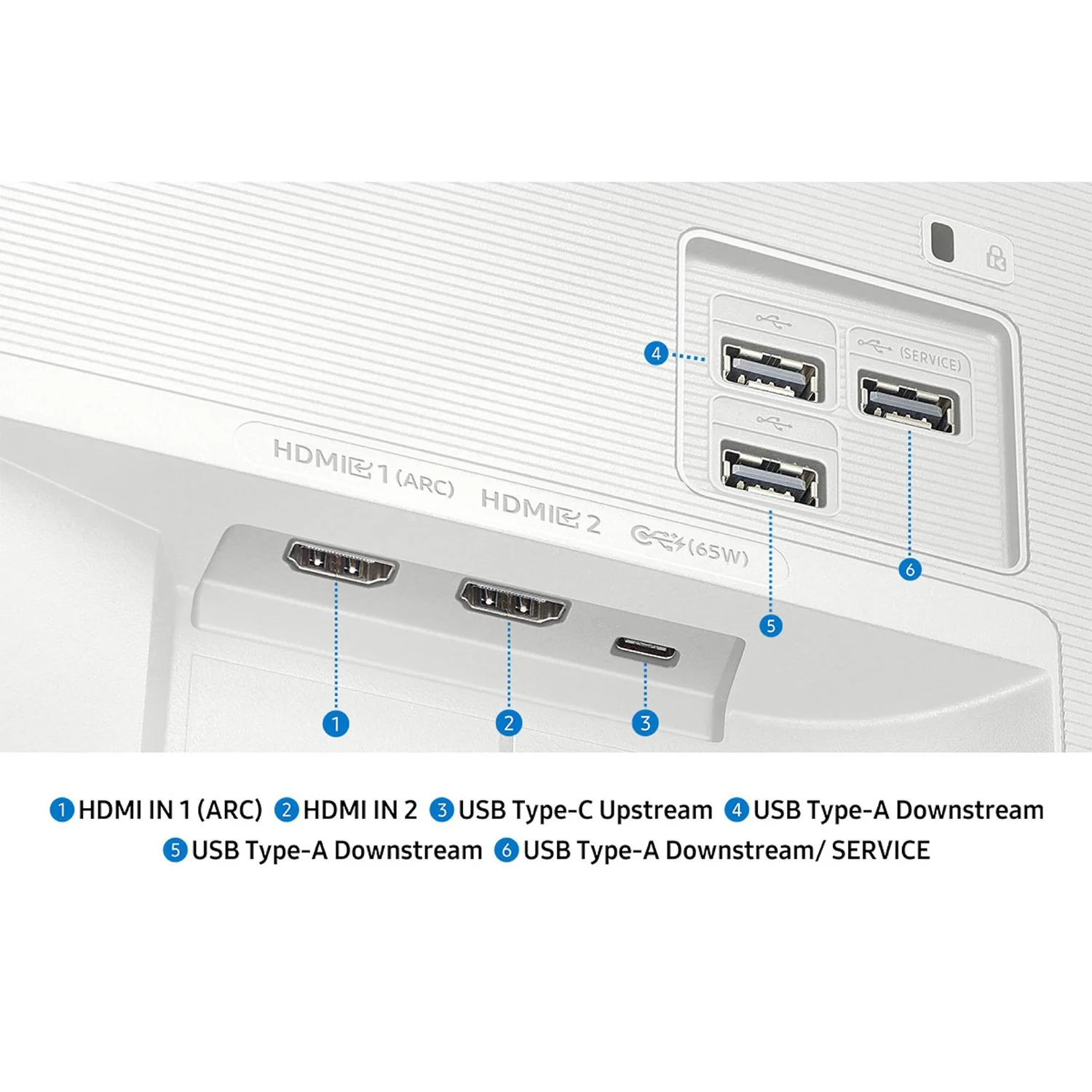
Connect your gadgets without any adapters. With USB-C, HDMI and USB-A ports, you can charge your device, transmit data, and make the most out of your multi-screen setup — all at once.
Sleek and Modern Design - Blends into any space: Clean White Design
The classic white design with a slim oval column and sleek, rounded base fits seamlessly into your space for a clean and minimalist aesthetic.
Product Specification
-
DisplayScreen Size (Class)32"CurveFlatActive Display Size (HxV) (Inches)27.5 x 15.5 inchAspect Ratio16:9Panel TypeVABrightness (Typical)300 cd/㎡Brightness (Min)240 cd/㎡Contrast Ratio Static3,000:1(Static)HDR(High Dynamic Range)HDR10Resolution4K (3,840 x 2,160)Response Time (ms)4ms(GTG)Viewing Angle (H/V)178˚/178˚Color SupportMax 1BColor Gamut (NTSC)72%Frame RateMax 60Hz
-
General InformationEye Saver ModeYesFlicker FreeYesImage SizeYesWindows CertificationWindows11Virtual AIM PointYesGame BarYesGaming HubYes (KR, US, CA, BR, GB, FR, DE, IT, ES, MX, AU)HDMI-CECYesAuto Source SwitchAuto Source Switch+Adaptive PictureYesSuper Ultrawide GameViewYes
-
Smart ServiceSmart TypeSmartOperating SystemTizen™BixbyYesFar-Field Voice InteractionYesTV PlusYesUniversal GuideYesBuilt-in Voice AssistantAlexaSmartThings HubYesMulti Device ExperienceMobile to Screen, Screen initiate mirroring, Sound Mirroring, Wireless On, Tap ViewMulti Viewupto 2 videosSmart CalibrationBasicWorkspaceYes
-
InterfaceWireless DisplayYesHDMI2 EAHDMI Version2.0HDCP Version (HDMI)2.2USB Ports3USB Hub Version2.0USB-C1 EAUSB-C Charging Power65WHDCP Version (USB-C)2.2WiFiWi-Fi 5BluetoothYes(5.2)
-
AudioSpeakerYesSpeaker Output10WAdaptive SoundAdaptive Sound+
-
Operational ConditionsTemperature10 ~ 40 ℃Humidity10 - 80 (Non-Condensing)
-
CalibrationFactory TunningYes
-
DesignMonitor Front ColorWHITEMonitor Rear ColorWHITEStand ColorWhiteStand TypeSIMPLETilt-2˚(±2˚) ~ 22˚(±2˚)Wall Mount100 x 100Stand MaterialSteel, Aluminum, PlasticUp and Down Height Adjustment7.9 inchUp and Down Tilt Adjustment+90˚, -90˚Left and Right Swing Adjustment+15˚, -15˚Pivot Adjustment90˚+2˚
(Pivot Fixed Possible) -
PowerPower SupplyAC 100 - 240 VPower Consumption (Max)150 WTypeInternal Power
-
DimensionSet Dimension with Stand (WxHxD)28.2 x 50.8 x 17.7 inchPackage Dimension (WxHxD)12.3 x 27 x 44.4 inchMonitor Dimension without Stand (WxHxD)28.2 x 16.7 x 1.6 inchStand Dimension (Base diameter x Height)17.7 x 43.3 inch
-
WeightSet Weight with Stand55.6 lbSet Weight without Stand11.9 lbShipping Weight88.6 lb
-
AccessoriesPower Cable Length13.1 feetHDMI CableYesRemote ControllerYes
Product Information
Product Information
Shipping & Returns
Shipping & Returns
Description
Samsung Movingstyle M7
Product Highlight
Adjustable Rolling Stand
Smart TV Apps
AI Picture Optimizer
SmartThings
Product Feature
It's How We Roll - Flexible entertainment anywhere: Height-Adjustable Rolling Stand
The Height Adjustable Rolling Stand moves with you, making it easy to roll your Smart Monitor from room-to-room for next-level entertainment and everyday use.
Versatility and Flexibility - Work and play in comfort: Pivot, Swivel and Tilt
The height-adjustable stand with pivot, swivel and tilt functionalities allows you to adjust the monitor to perfectly match your preferred setup so that you can work and play in maximum comfort.
Quiet & Stable Mobility - Stable, quiet movement: Weighted Base
The 17.7-inch weighted base with hidden urethane wheels allows for quiet, stable movement. From hardwood to carpet, enjoy effortless movement wherever you roll.
Connect Without Clutter - Cable Management
The 13-foot power cable attaches to the back of the monitor and extends down through the stand for a clean feel from the front and rear.
Entertainment Upgraded
Instant access to your favorite streaming content: Smart TV Apps
Stream content directly from your monitor, or tune into Samsung TV Plus to get live TV channels and on-demand content.*
* Samsung Account required for networkbased smart services, including streaming apps and other smart features. Computer, mobile or other device may be necessary to create/log in to Samsung Account (free to download and create). Some features may require separate subscriptions. This smart monitor does not include a TV tuner.
Where gaming comes together: Gaming Hub
Access the ultimate gaming realm. In the Samsung Gaming Hub, you can play the biggest games from top streaming partners, with no PC or console needed. Discover new games or replay old favorites all in one place.*
* High speed internet connection, additional gaming service subscriptions and compatible controller required. Samsung Account required for networkbased smart services, including streaming apps and other smart features. Separate [connected] computer, mobile or other device may be necessary to create/ log in to Samsung Account (free to download and create). Without Account log in, only external device connections (e.g.,via HDMI) available.
Enjoy 7 years of Monitor updates for free: One UI Tizen
One UI Tizen is your personalized and enhanced screen experience, powered by Samsung Tizen OS. With One UI Tizen, you can take advantage of the latest and innovative Samsung features. One UI Tizen will also support Tizen OS upgrades for up to the next seven years.*
* Content and services are subject to change without notice. Agreement to Smart Hub Terms and Conditions and Privacy Policy is required before use. Some content and services require registration and subscription. Tizen OS updates will be supported for up to 7 years from date of product launch.
AI-Powered Picture and Sound
Optimally tailored visuals with AI: AI Picture Optimizer
Experience optimal picture quality adjusted to your needs. AI Picture Optimizer adapts the visuals to help you work on documents with comfort, get fully immersed in games with deep, rich blacks, and watch videos in vibrant colors.*
* Utilizes AI based algorithms. Only available when using a PC connection. The supported image quality may differ based on the type of content detected by the function.
Enjoy your content in vivid detail: 4K UHD
Watch your content come to life with incredible clarity. 4K UHD resolution enhances even fine details in images and videos, making worlds feel more vibrant and realistic.*
* 4K availability in over-the-top content may vary depending on content service subscription type and internet connection
Adapts to noisy environments: Active Voice Amplifier
Hear words clearly with AI technology. Active Voice Amplifier analyzes background noise around the monitor and automatically adjusts the volume of your content, so you can catch dialogue effortlessly — even in loud settings.*
Safe and Easy Connections
Simple control for your smart home: SmartThings
See your smart home devices in a 3D Map View and manage them with ease. You can also check the energy usage and cost by device, and help save energy by putting them in energy-saving modes. Simply tap into the all-in-one IoT hub using your mobile phone or voice command — without pausing shows.*
* Requires Wi-Fi, Bluetooth or other wireless network connection, and devices registered to the SmartThings app. Connected devices are sold separately. For a full compatible device list, please check https://www. smartthings.com/products.
Your privacy. Secured on Samsung monitors.: Knox Security
Help keep your monitor data safe and confidential with Samsung Knox, featuring robust, multi-layered security and controlled access.*
* Samsung Knox safeguards the Smart Monitor and its IoT connections via the SmartThings app. It does not provide direct protection against hacking or physical attacks on IoT devices. Thirdparty application security and updates are the responsibility of the respective software developer(s). Knox Security software updates are supported for at least five years from product launch. Latest software update is required.
Faster, easier access to your work tools: Workspace
Access and control your PC remotely, or work directly on the monitor. Built-in apps like Microsoft 365 let you bypass the PC for a simpler, more streamlined work experience. Plus, with Multi View you can see apps side-by-side and take your productivity to new levels.*
* Remote PC feature requires Windows 10 Pro or higher. Microsoft 365 requires a Microsoft account.
Expand your workflow with seamless control: Multi Control
Take multitasking and productivity to the next level. Seamlessly drag and drop documents and images across multiple Samsung devices onto your Smart Monitor for a clearer view and larger workspace — all with a single mouse and keyboard.*
* Mouse and keyboard sold separately. Each device must be registered with a single Samsung Account and connected to the same Wi-Fi network. Multi control requires updated Galaxy phones and tablets with One UI 5.1.1 or above and Galaxy Book series devices released in 2021 or later with Samsung Settings v1.5(Intel) or Samsung Settings v3.3(ARM). Some functions(such as Copy & Paste or Drag & Drop) may not be available when using certain device models and apps.
Content on the big screen made easy: AirPlay
Wirelessly connect Apple devices to your Smart Monitor and view content on a bigger screen. With AirPlay integration, you can easily enjoy media or mirror apps, documents, and websites from an iPhone, iPad or Mac.*
* AirPlay or mobile mirroring requires iOS 12.3 or later, or macOS 10.14.5 or later, or Android OS 8.0 or later. This function may not be supported depending on the model or geographical area.
Connect with convenience: Multiple Ports
Connect your gadgets without any adapters. With USB-C, HDMI and USB-A ports, you can charge your device, transmit data, and make the most out of your multi-screen setup — all at once.
Sleek and Modern Design - Blends into any space: Clean White Design
The classic white design with a slim oval column and sleek, rounded base fits seamlessly into your space for a clean and minimalist aesthetic.
Product Specification
-
DisplayScreen Size (Class)32"CurveFlatActive Display Size (HxV) (Inches)27.5 x 15.5 inchAspect Ratio16:9Panel TypeVABrightness (Typical)300 cd/㎡Brightness (Min)240 cd/㎡Contrast Ratio Static3,000:1(Static)HDR(High Dynamic Range)HDR10Resolution4K (3,840 x 2,160)Response Time (ms)4ms(GTG)Viewing Angle (H/V)178˚/178˚Color SupportMax 1BColor Gamut (NTSC)72%Frame RateMax 60Hz
-
General InformationEye Saver ModeYesFlicker FreeYesImage SizeYesWindows CertificationWindows11Virtual AIM PointYesGame BarYesGaming HubYes (KR, US, CA, BR, GB, FR, DE, IT, ES, MX, AU)HDMI-CECYesAuto Source SwitchAuto Source Switch+Adaptive PictureYesSuper Ultrawide GameViewYes
-
Smart ServiceSmart TypeSmartOperating SystemTizen™BixbyYesFar-Field Voice InteractionYesTV PlusYesUniversal GuideYesBuilt-in Voice AssistantAlexaSmartThings HubYesMulti Device ExperienceMobile to Screen, Screen initiate mirroring, Sound Mirroring, Wireless On, Tap ViewMulti Viewupto 2 videosSmart CalibrationBasicWorkspaceYes
-
InterfaceWireless DisplayYesHDMI2 EAHDMI Version2.0HDCP Version (HDMI)2.2USB Ports3USB Hub Version2.0USB-C1 EAUSB-C Charging Power65WHDCP Version (USB-C)2.2WiFiWi-Fi 5BluetoothYes(5.2)
-
AudioSpeakerYesSpeaker Output10WAdaptive SoundAdaptive Sound+
-
Operational ConditionsTemperature10 ~ 40 ℃Humidity10 - 80 (Non-Condensing)
-
CalibrationFactory TunningYes
-
DesignMonitor Front ColorWHITEMonitor Rear ColorWHITEStand ColorWhiteStand TypeSIMPLETilt-2˚(±2˚) ~ 22˚(±2˚)Wall Mount100 x 100Stand MaterialSteel, Aluminum, PlasticUp and Down Height Adjustment7.9 inchUp and Down Tilt Adjustment+90˚, -90˚Left and Right Swing Adjustment+15˚, -15˚Pivot Adjustment90˚+2˚
(Pivot Fixed Possible) -
PowerPower SupplyAC 100 - 240 VPower Consumption (Max)150 WTypeInternal Power
-
DimensionSet Dimension with Stand (WxHxD)28.2 x 50.8 x 17.7 inchPackage Dimension (WxHxD)12.3 x 27 x 44.4 inchMonitor Dimension without Stand (WxHxD)28.2 x 16.7 x 1.6 inchStand Dimension (Base diameter x Height)17.7 x 43.3 inch
-
WeightSet Weight with Stand55.6 lbSet Weight without Stand11.9 lbShipping Weight88.6 lb
-
AccessoriesPower Cable Length13.1 feetHDMI CableYesRemote ControllerYes